
Guidelines for Contributors
- Meet the developer community, participate, contribute, join the public calls: https://www.5g-mag.com/community
- Discussions among developers are held in Slack.
- Announcements are communicated through the Google Group
- If you have questions which cannot be shared publicly, reach out to us via email: reference-tools@5g-mag.com
Find here the information about:
Raising issues
If you find problems or have requests for new features related to the code, please alert us by submitting an issue.
Who can raise issues? Anyone can raise issues against the projects, you do not need to have signed the Contributor License Agreement (CLA) to do so.
1. Go to the relevant repository

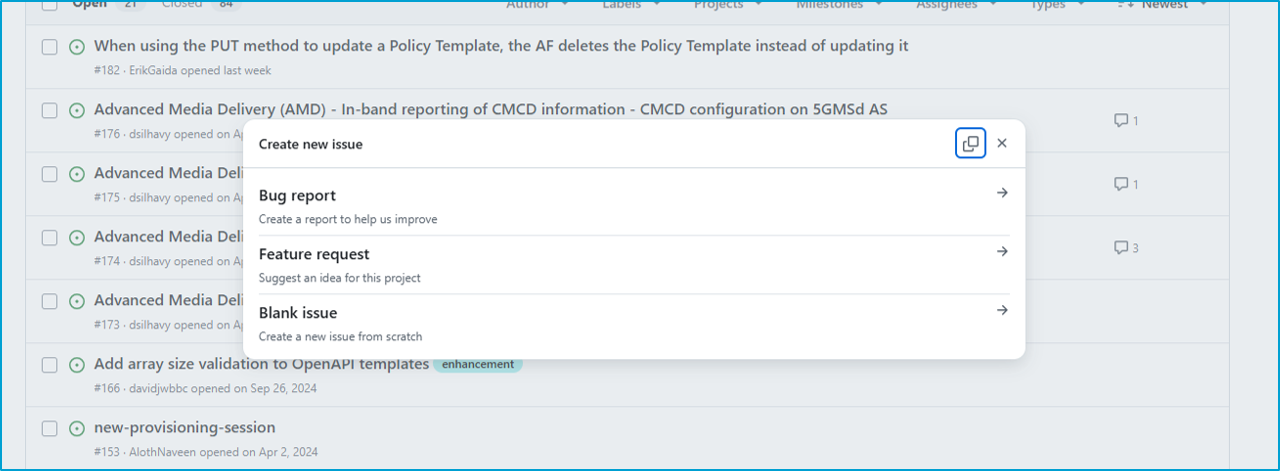
2. Create a new issue, select the type from the menu
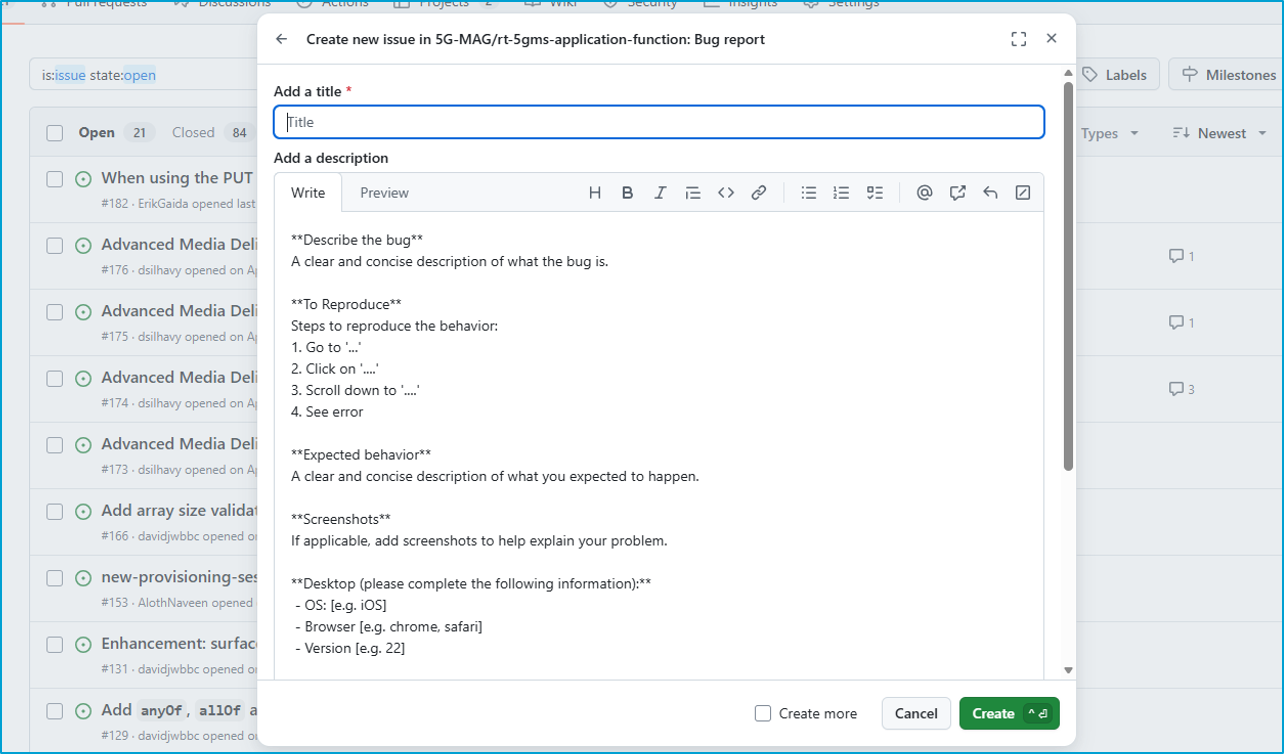
3. Fill the description
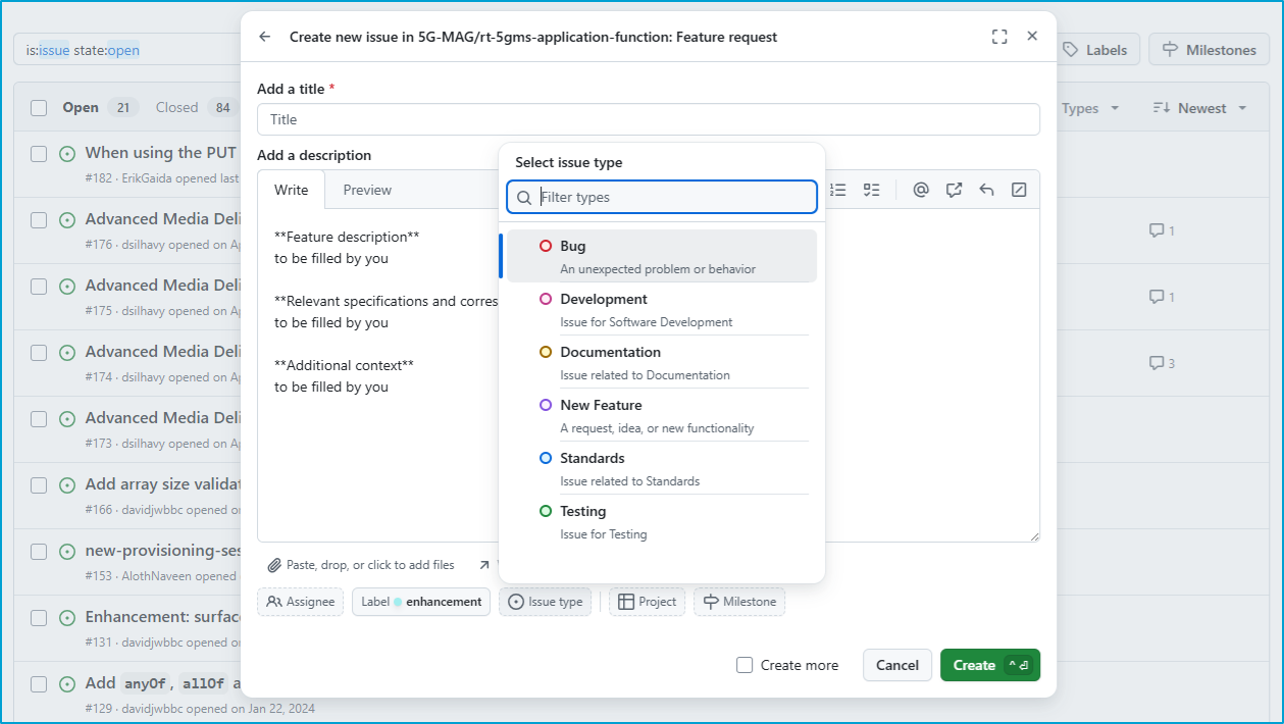
4. Add a label, project,…
Releases
The status of the different software releases can be found here: Reference Tools Projects: Releases
Testing release candidates
Availability of a RC for testing is announned in the Google Group and/or during the 5G-MAG Developers Calls. Feedback can be provided via issues during the testing period. If there are blokcing issues, these will be fixed and a new release candidate will be created.
If after the testing period no issues have been found which block the release, a release will be created and announced.
Git Branching strategy
We are using a slightly modified version of Gitflow as a branching model. A detailed introduction to Gitflow can be found here.
Main branch
The main branch stores the official release history. The current version of the main branch always stores the latest release.
Development branch
The development branch serves as the integration branch for new feature and bugfix branches. It reflects the latest stable changes in the current development cycle.
Feature branches
Each new feature is implemented in a separate feature branch. Feature branches use development as their parent branch. When a feature is completed the respective branch gets merged back into development.
A feature branch is created the following way:
git checkout development
git checkout -b feature/newfeature
Release branches
Once the development branch has acquired enough features and bugfixes for a release, a release candidate branch is created based on the current version of the development branch. For details on the release procedure please refer to the release procedure documentation.
The release candidate always includes a version number and is created in the following way:
git checkout development
git checkout -b RC-1.2.0
Once a release candidate is approved the respective branch is merged into the main branch.
Bugfix branches
Similar to feature branches, the bugfix branches are created directly from development. In contrast to hotfixes, bugfixes are not considered criticial and do not require a fast new release. Bugfix branches are created the following way:
git checkout development
git checkout -b bugfix/newbugfix
Hotfix branches
Hotfix branches are used to quickly patch production releases in case of critical errors. Hotfix branches are created directly from main and merged back into main and development as soon as they are completed. Once the hotfix is applied a new release shall be created.
git checkout main
git checkout -b hotfix/newhotfix
Cloning a repository with a specific branch
It is also possible to clone a repository and specify the target branch directly:
git clone -b <branchname> <remote-repo-url>
Forking the project
To work on a new feature or a bugfix you first need to fork the repository that you want to work on. A detailed guide how to fork a repository can be found here.
Pull requests
Once a feature or a hotfix branch is completed a new pull request against the development (in case of feature branches) or the main branch (in case of hotfix branches) is created:
1. Navigate to the list of available branches.
Depending on the concrete setup the new branch is available directly on the main repository or on your fork of the main repository.
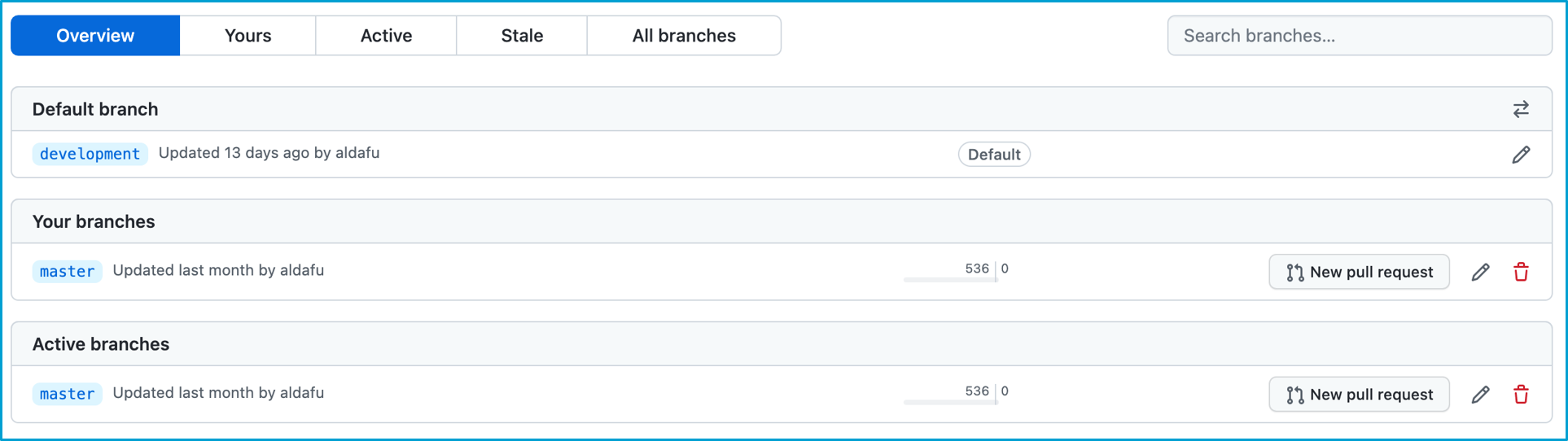
2. Click on “New pull request”
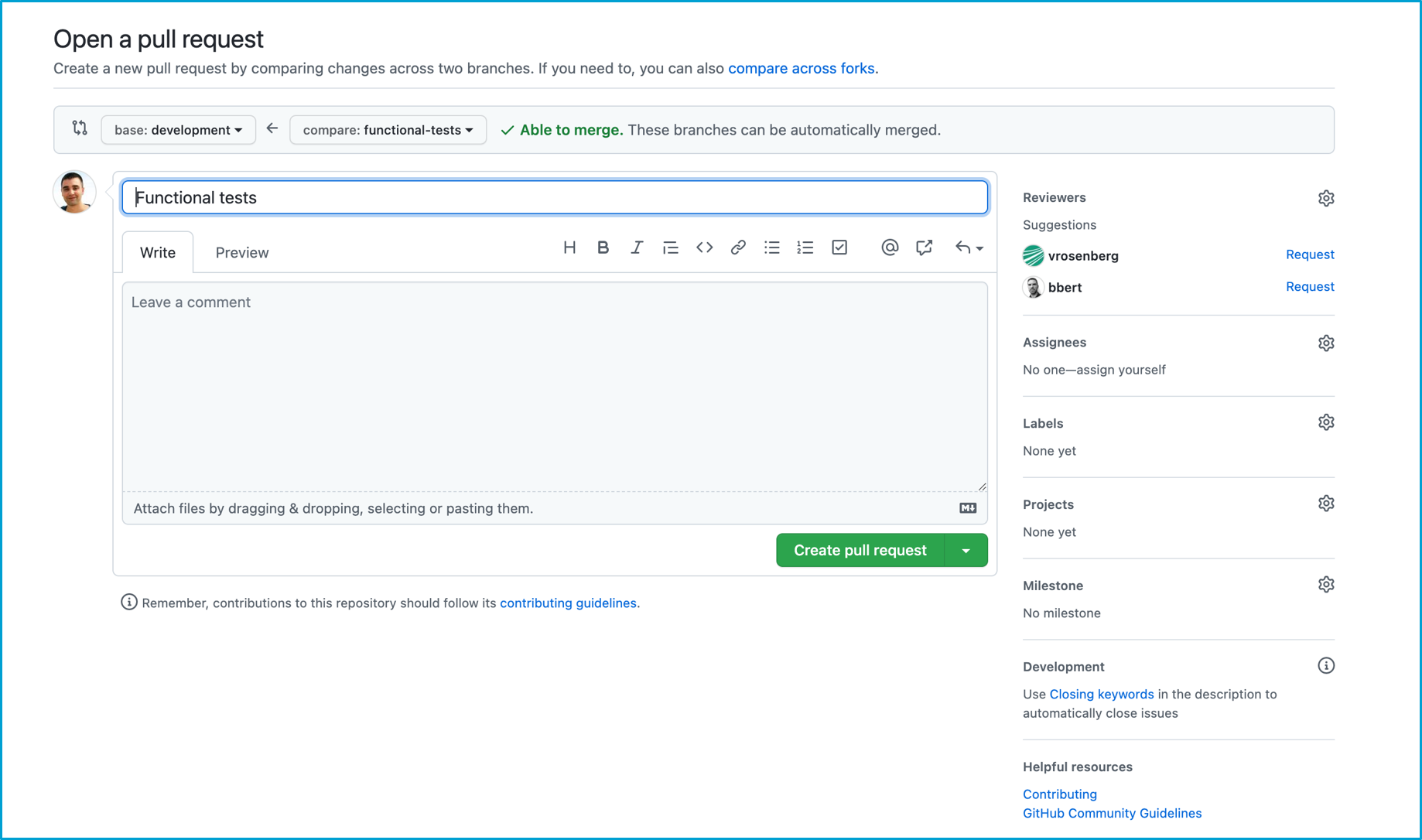
3. Select the target (base) branch:
- For
featurebranches select thedevelopmentbranch - For
hotfixbranches select themainbranch